%20(2).png)
Here’s what’s new in Rotabull as of September 2026
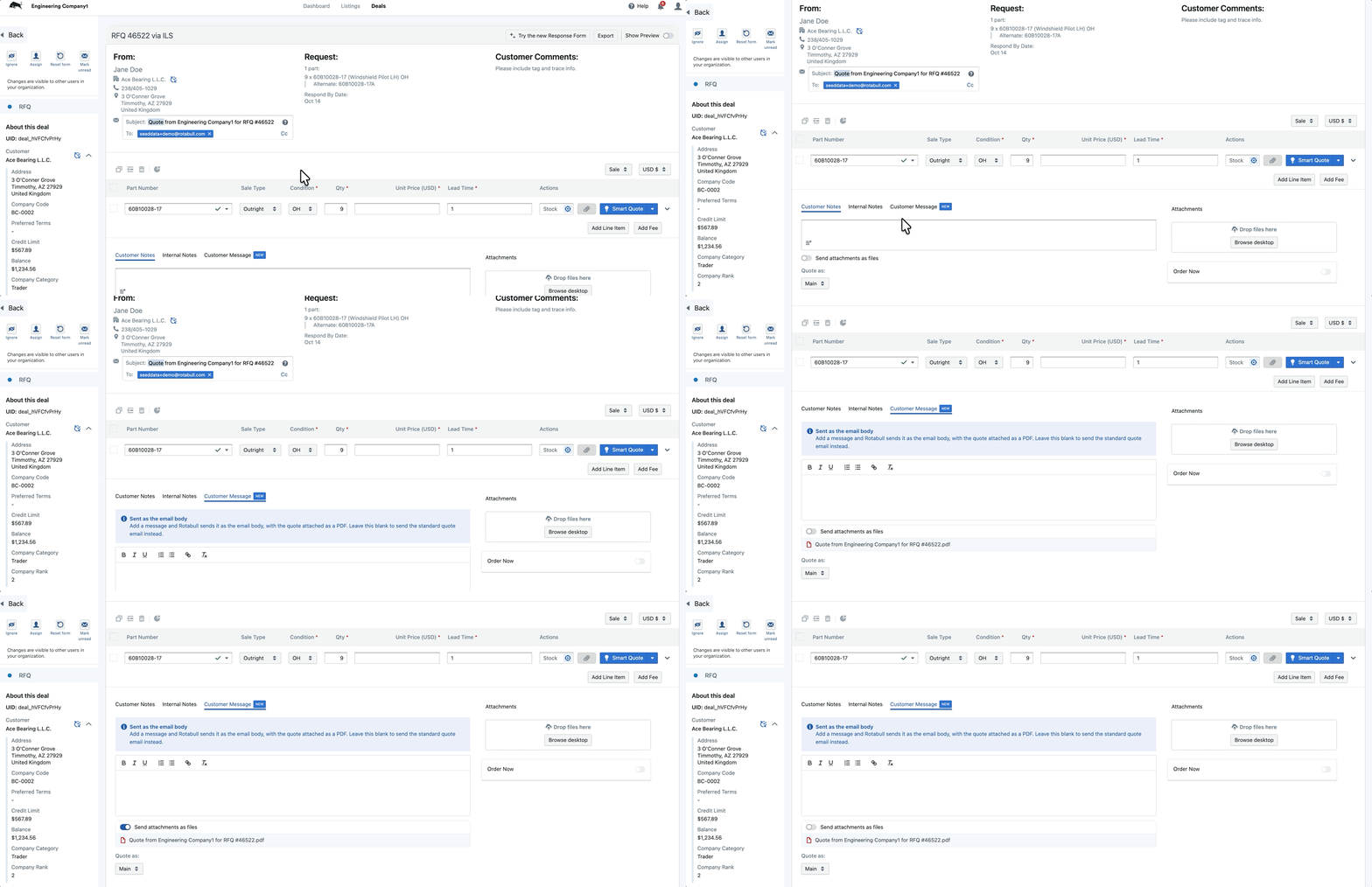
Send Quote Attachments as Files
Some customers’ IT policies block attachments sent as links. When responding to a quote, you can now switch on Send files as attachments to include your documents directly on the email instead. Rotabull checks the combined size before sending and shows which files went out as attachments right below the sent quote.
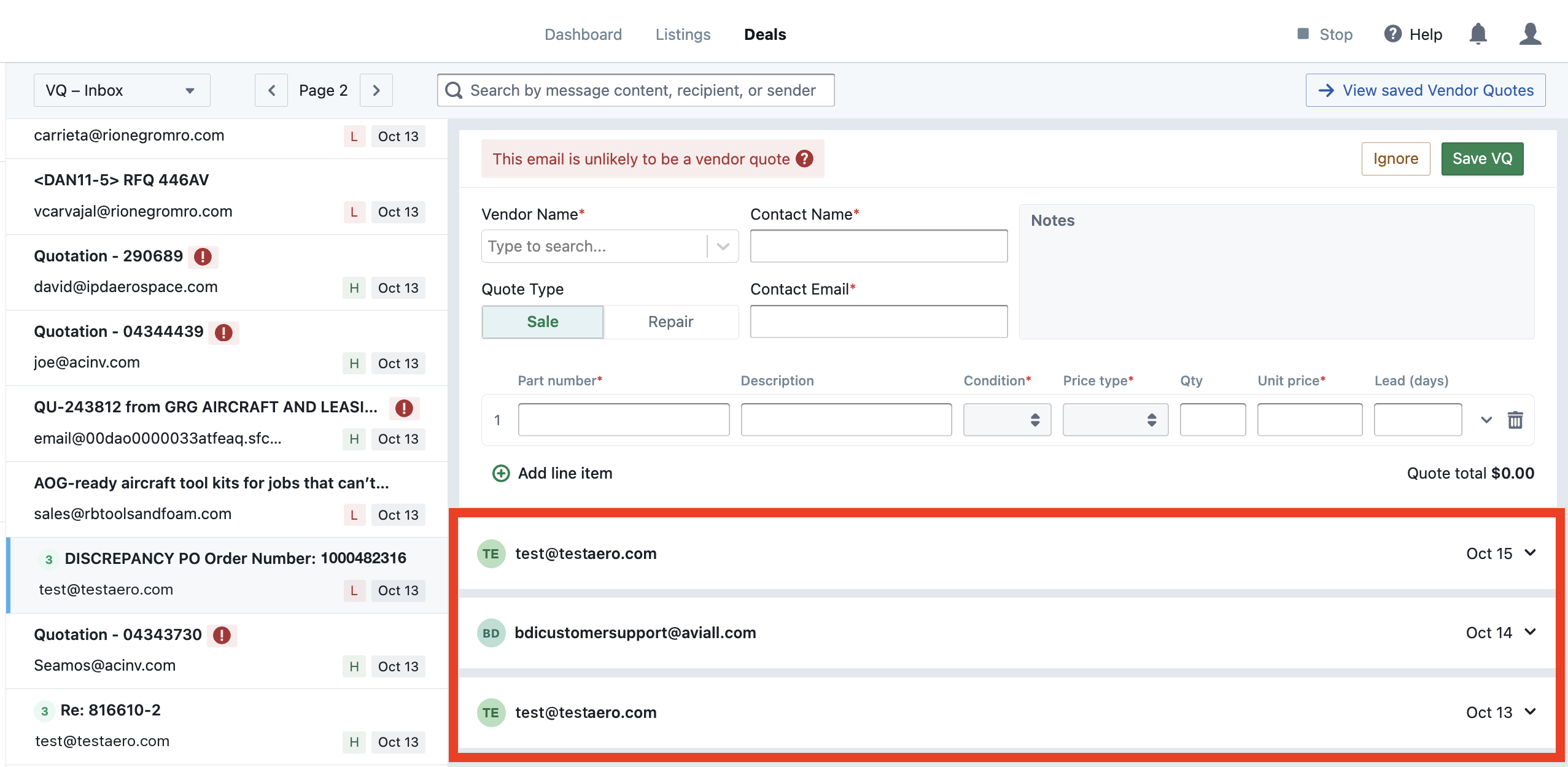
Threaded Purchasing Emails
Vendor conversations now stay together. When a vendor replies or follows up on the same email thread, Purchasing Emails shows it once in your list and groups every message in a single threaded view, with the latest message expanded and earlier ones collapsed. Follow-ups no longer show up as separate emails or create duplicate vendor quotes, and replies from different vendors are kept in their own threads.
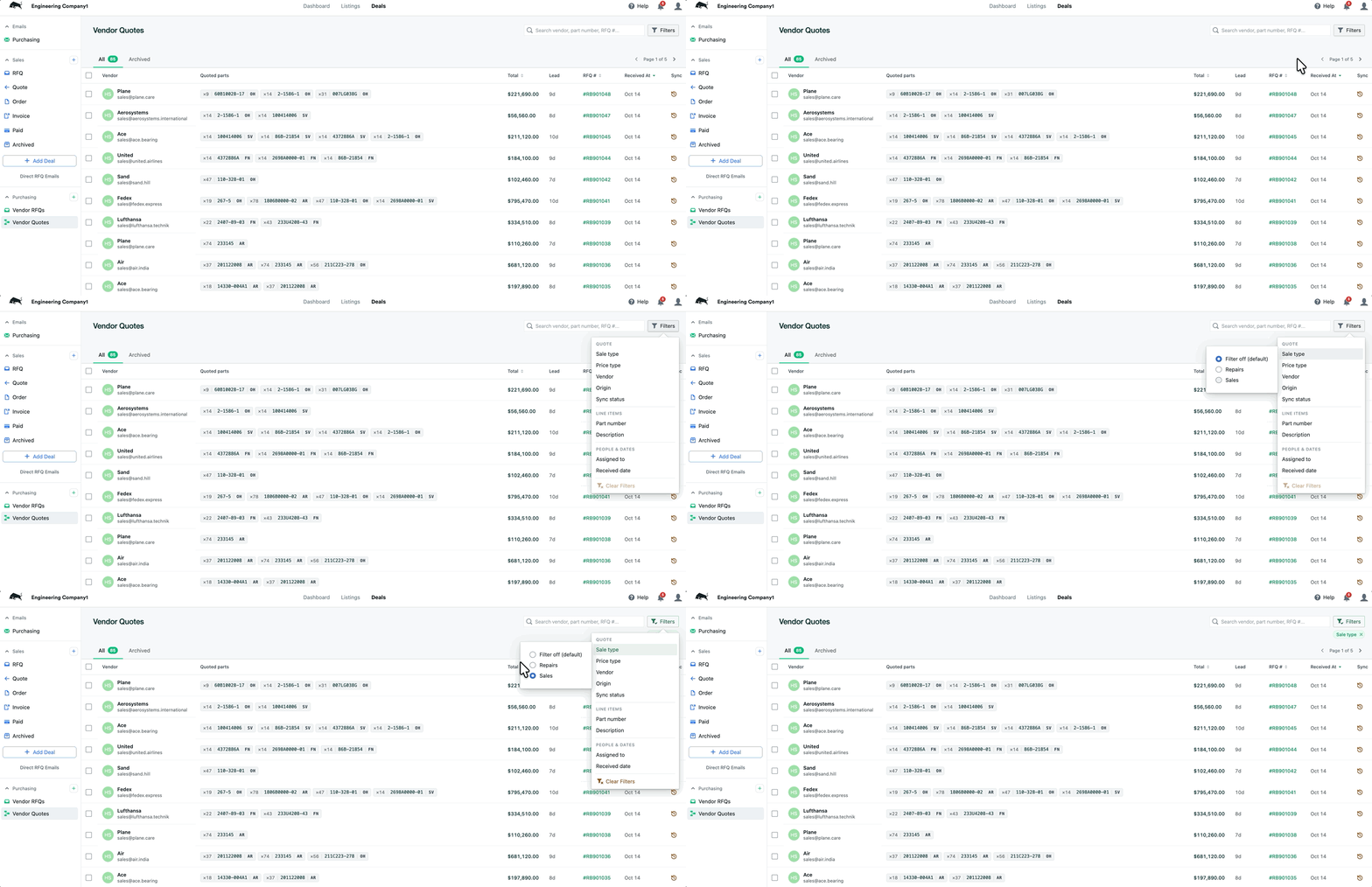
Sort & Filter for Vendor RFQs and Vendor Quotes
The Vendor RFQs and Vendor Quotes pages now work like your Deal inboxes. Sort by sent or received date, priority (AOG, Expedite, Routine), linked RFQ, or total, and narrow the list with grouped filters for sale type, vendor, part number, description, assignee, and dates. Each page also has a new Archived tab, so finished work stays out of the way without disappearing.
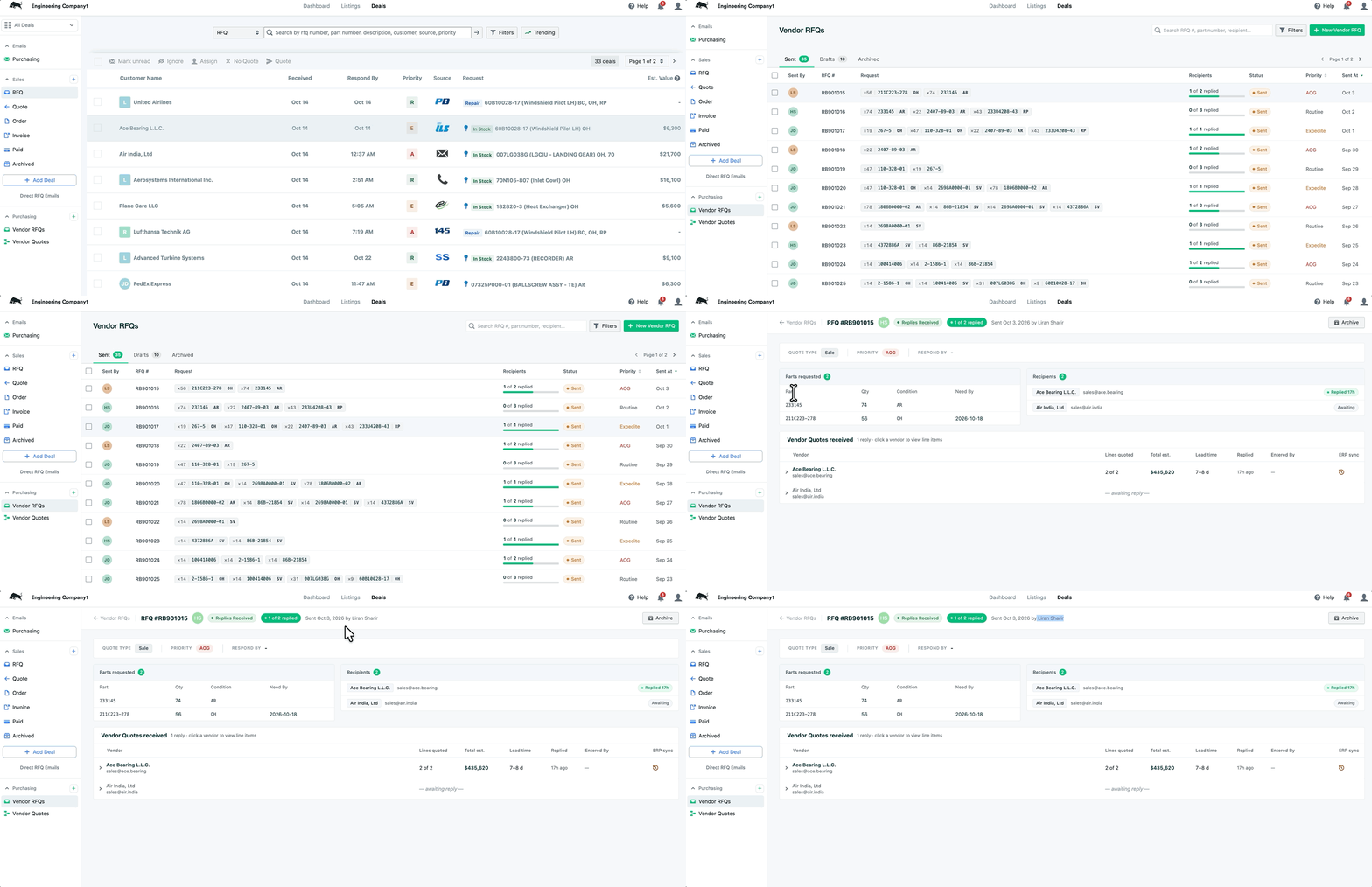
See Who Entered Each Vendor Quote
Every vendor quote now records who on your team sourced it. Quotes created by hand from Purchasing Emails are credited to the user who entered them, and quotes created automatically are matched to the Rotabull user the vendor emailed. You’ll see Entered By on the Vendor Quotes view and on completed purchasing emails, it’s included in downloaded VQ reports, and for Avsight users it carries over as the quote owner in your ERP.
Automatic Avsight Price Line Sync
Avsight users can now have their price lines pulled into Rotabull automatically every day, the same way Quantum and Pentagon customers already do. Your pricing stays current for quoting without any manual uploads.


