.png)
Here’s what’s new in Rotabull as of Feb 2026
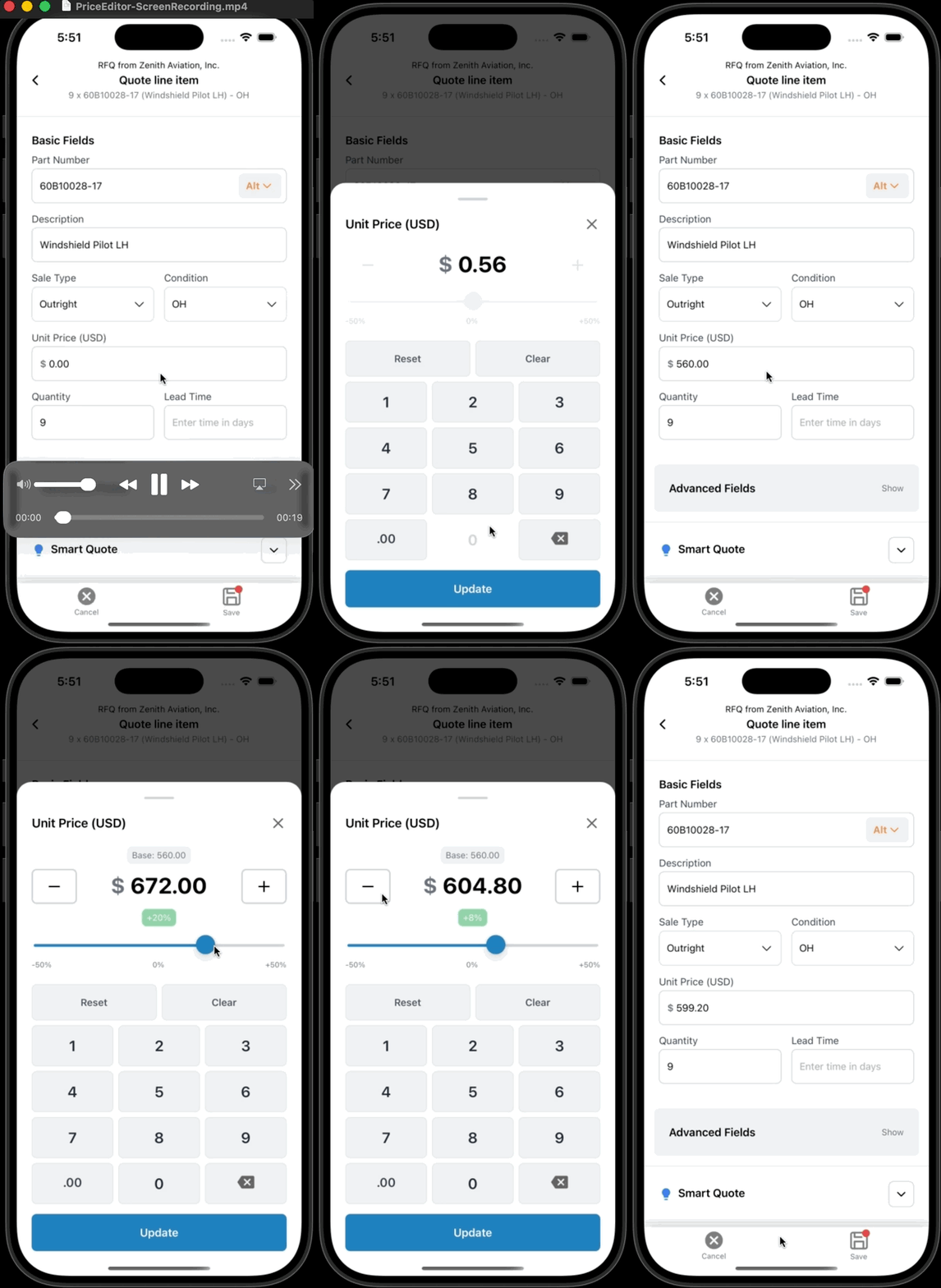
Mobile Price Editor
Quoting on mobile just got easier. The unit price field now opens a dedicated Price Editor, giving you more control when adjusting pricing on the go. The editor includes percentage-based adjustments, quick +/- 1% controls, and direct numeric input with proper currency formatting - making mobile price edits faster and more reliable.
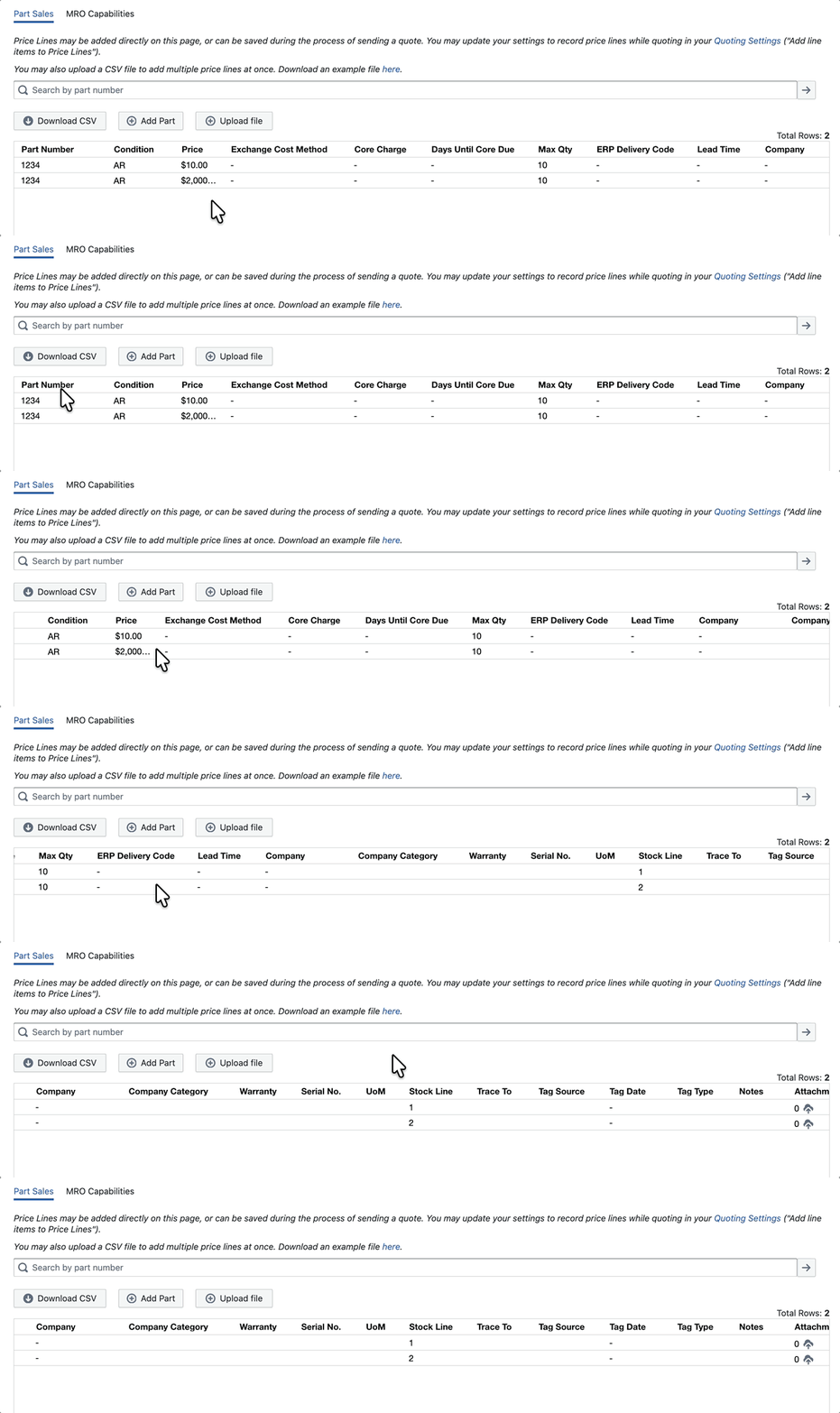
Multiple Stock Lines per Part in Autoquote
We’ve expanded Autoquote support to handle multiple stock lines for the same part and condition. You can now maintain more than one Price Line for an identical part number and condition combination, differentiated by Stock Line. Autoquote rules can be configured to quote all matching stock lines, or automatically select the one expiring soonest or latest.
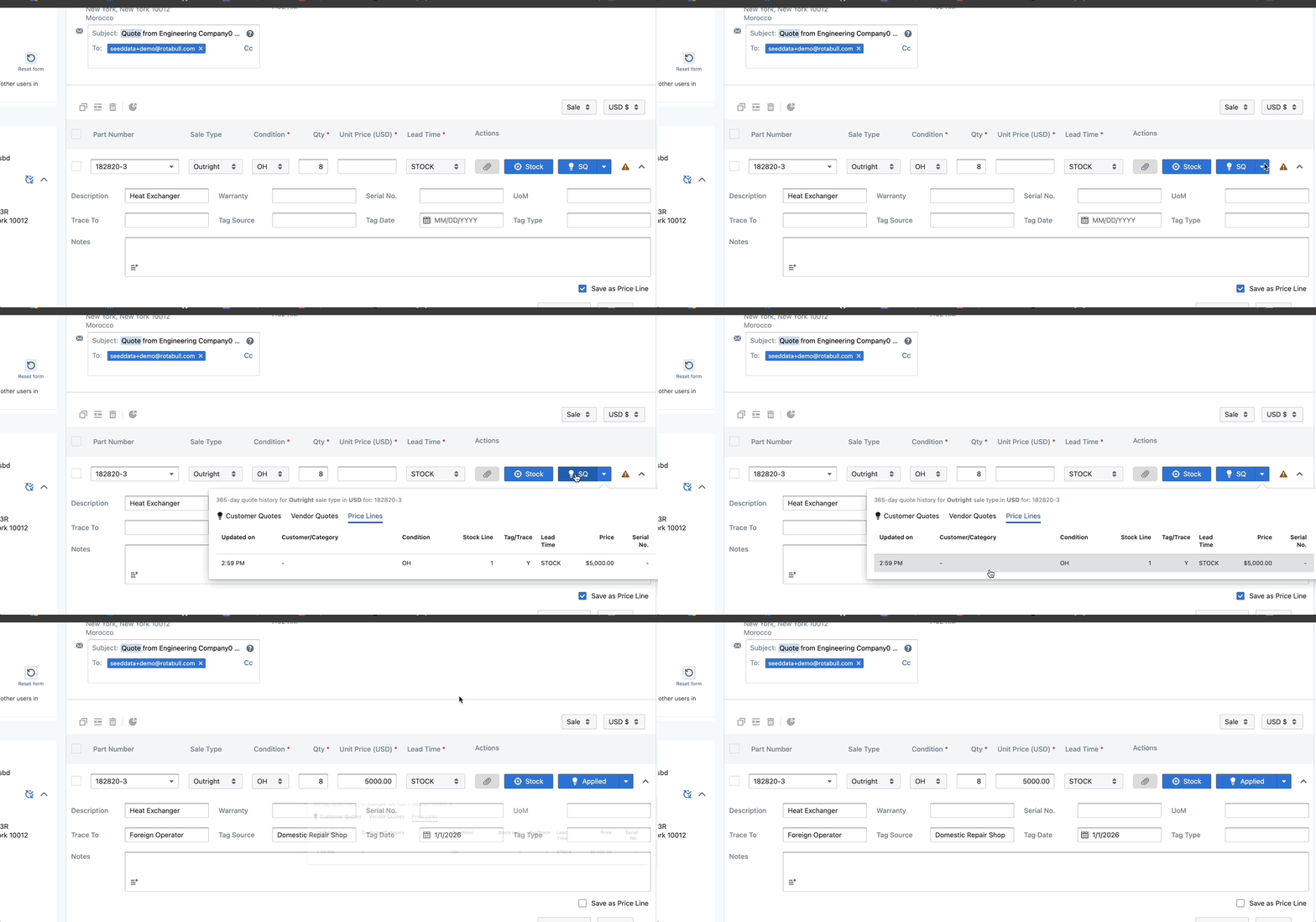
Smart Quoting from Price Lines
You can now smart quote directly from a Price Line when responding to an RFQ. From the Price Line tab within the Smart Quote view, selecting a Price Line will automatically populate the relevant line item fields - reducing manual entry and speeding up the quoting process.
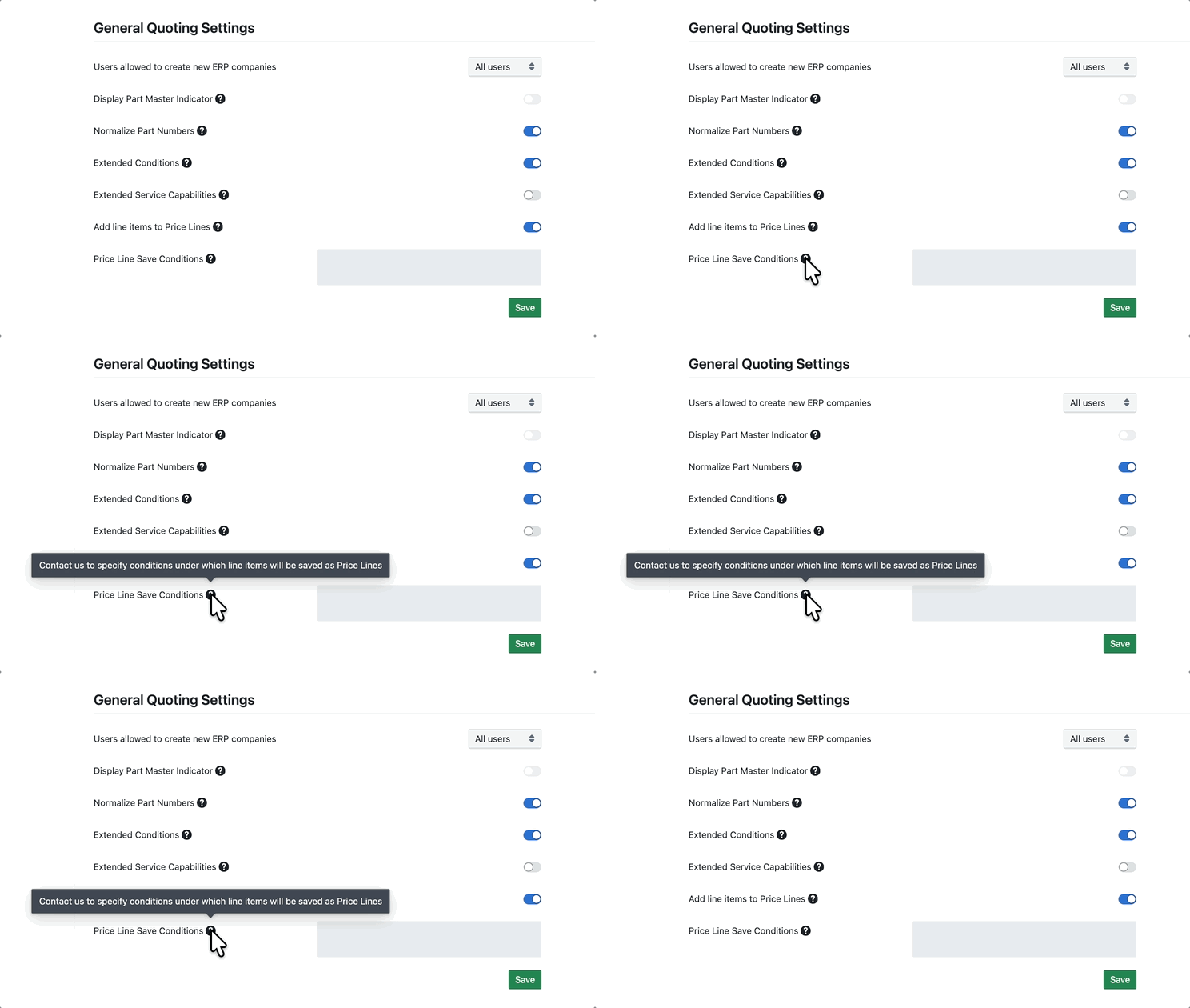
Conditional Price Line Saving
Price Lines can now be saved conditionally when sending quotes. This allows teams to automatically save pricing only when certain criteria are met - such as price thresholds, condition, or quote type - while continuing to quote higher-value or more complex items manually. For now, this is managed via a backend configuration, and our support team can assist with setup.