.png)
Here’s what’s new in Rotabull as of May 2026
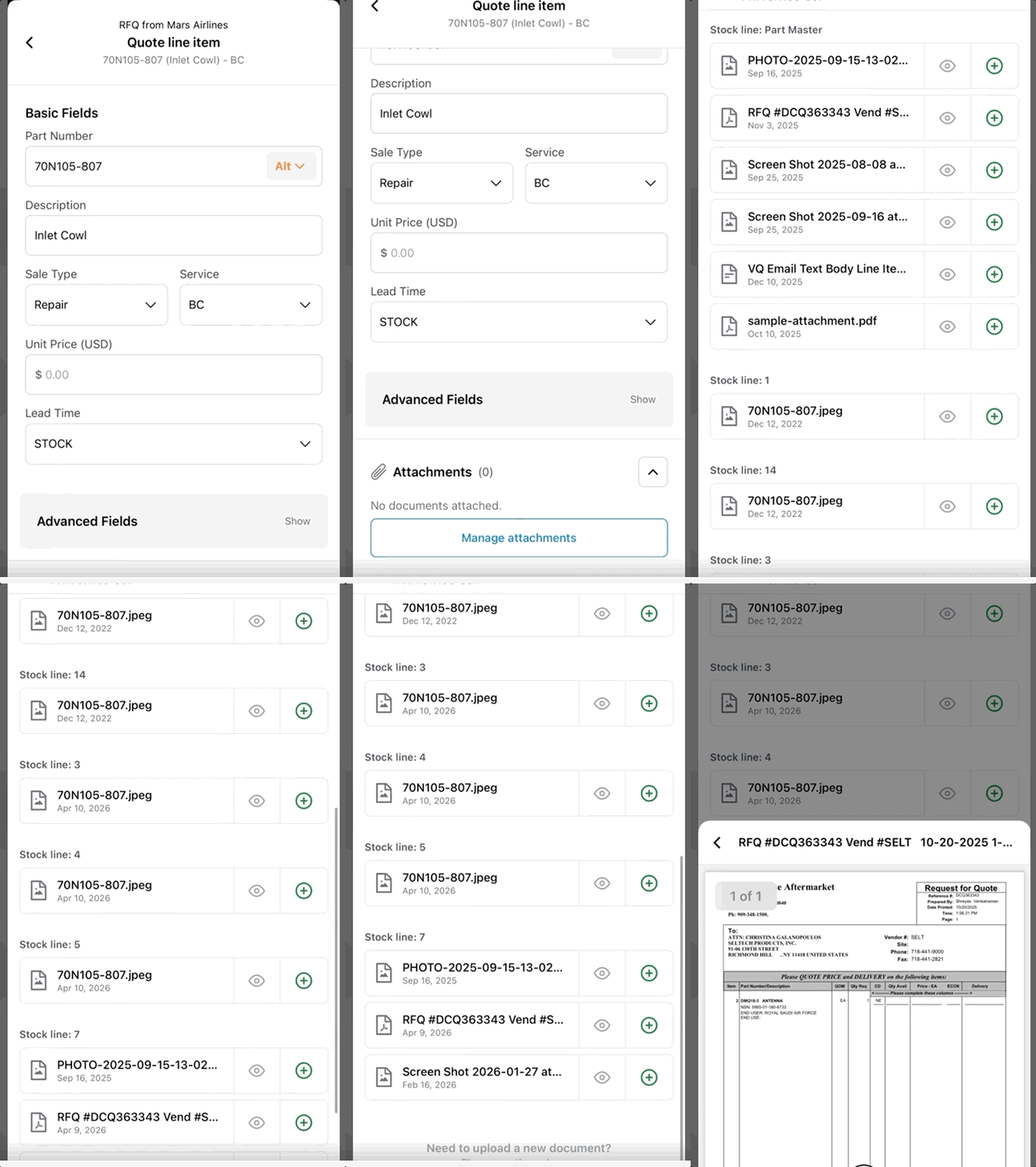
Attachments on Mobile
Mobile quoting now supports attachments — closing one of the last gaps between desktop and mobile. From within a line item, you can browse Part Documents stored in Rotabull (pulled from your ERP), pick attachments saved on a matching Customer Quote or Price Line, and preview each document before attaching. Smart Quotes will display attachment counts and any included files alongside the rest of the line, so you can see at a glance what's about to be sent.
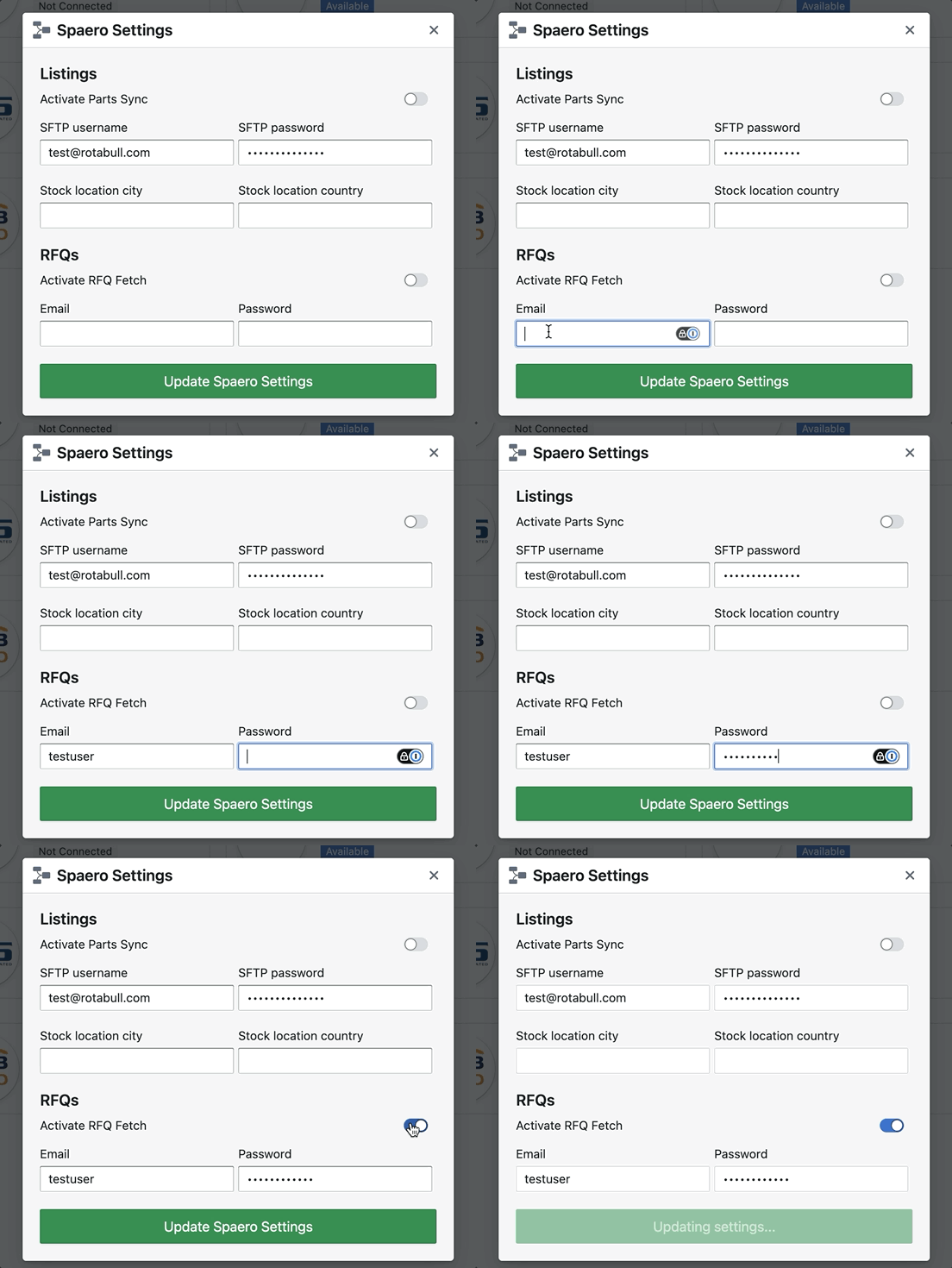
Spaero Marketplace Integration
Rotabull now connects directly to Spaero. Once your Spaero credentials are configured, Rotabull pulls in new Spaero RFQs and lets you respond directly — no need to bounce back to the site to send a quote. For more information on Spaero, please reach out to hello@spaero.co.uk.
AvSight Vendor Quote Sync
For AvSight users receiving Vendor Quotes through Rotabull, completed VQs are now inserted back into AvSight. Each saved Vendor Quote in Rotabull creates a corresponding Header and Lines within AvSight. For more information, please reach out to support@rotabull.com.

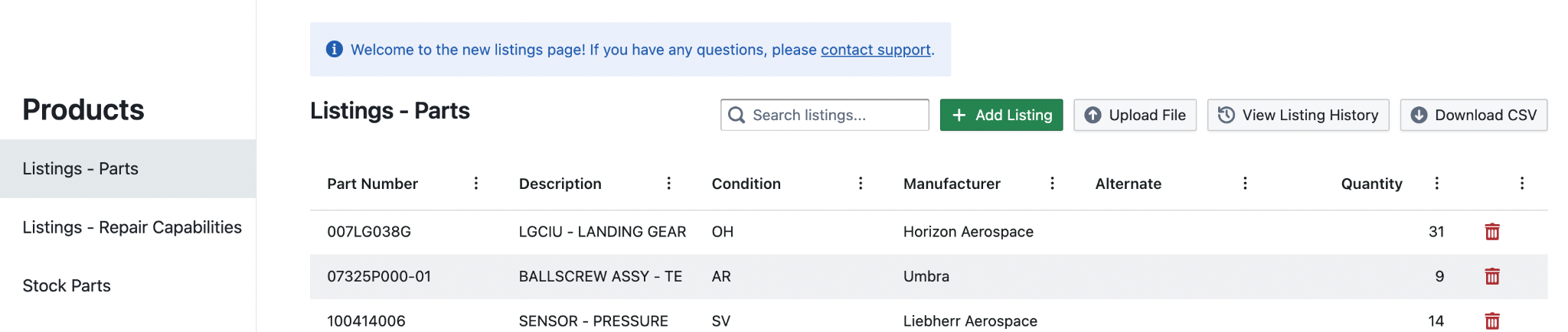
New Products Page
A redesign of the Inventory and Listings experience in Rotabull is underway. The new Products page brings full visibility and search across Stock, Non-Stock Parts, and Alternates, and — new this month — single-line add, edit, and delete for any item. The last piece is especially useful for teams who manage listings manually rather than through an ERP feed, where quick edits used to require a re-upload. We expect to roll the new experience out for all customers in Q3 of this year.
Have any questions or feedback? Get in touch with us at support@rotabull.com!
Don’t have a Rotabull account yet? Schedule a demo here to see what we can do for you.


