.png)
Here’s what’s new in Rotabull as of June 2026
Spreadsheet RFQ Uploads
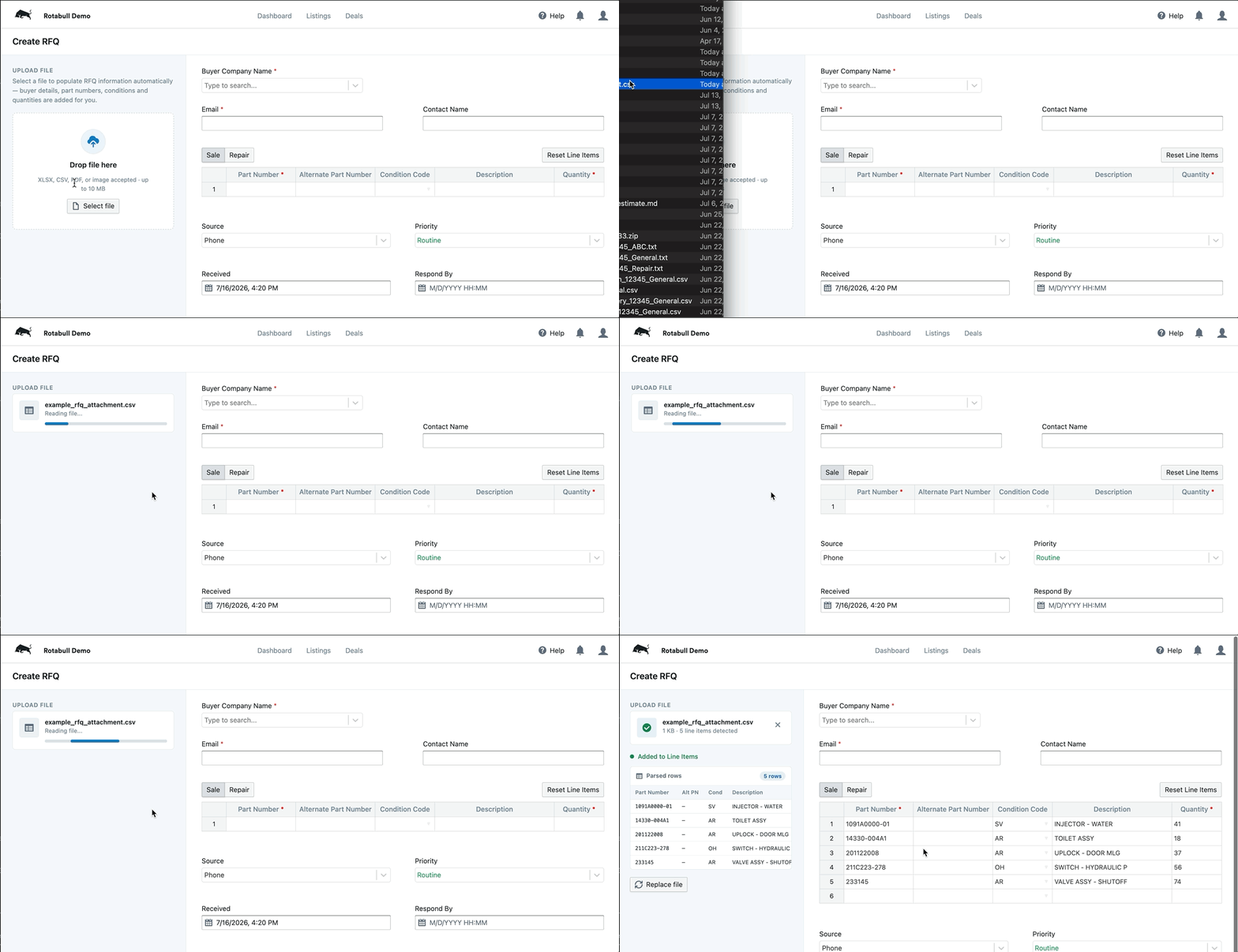
Creating an RFQ from a long parts list is now much easier. When a customer sends over a large spreadsheet of part numbers — the kind airlines often use for weekly MRO requirements — you can now drop that file straight into the Add RFQ form instead of keying in each line by hand. Rotabull reads the spreadsheet (PDF and image files work too), populates the form for you, and carries any extra details through to the quote draft. If a file can't be read automatically, you'll be prompted to adjust it and try again or enter the data manually.
"Make Offer" Automation Rule
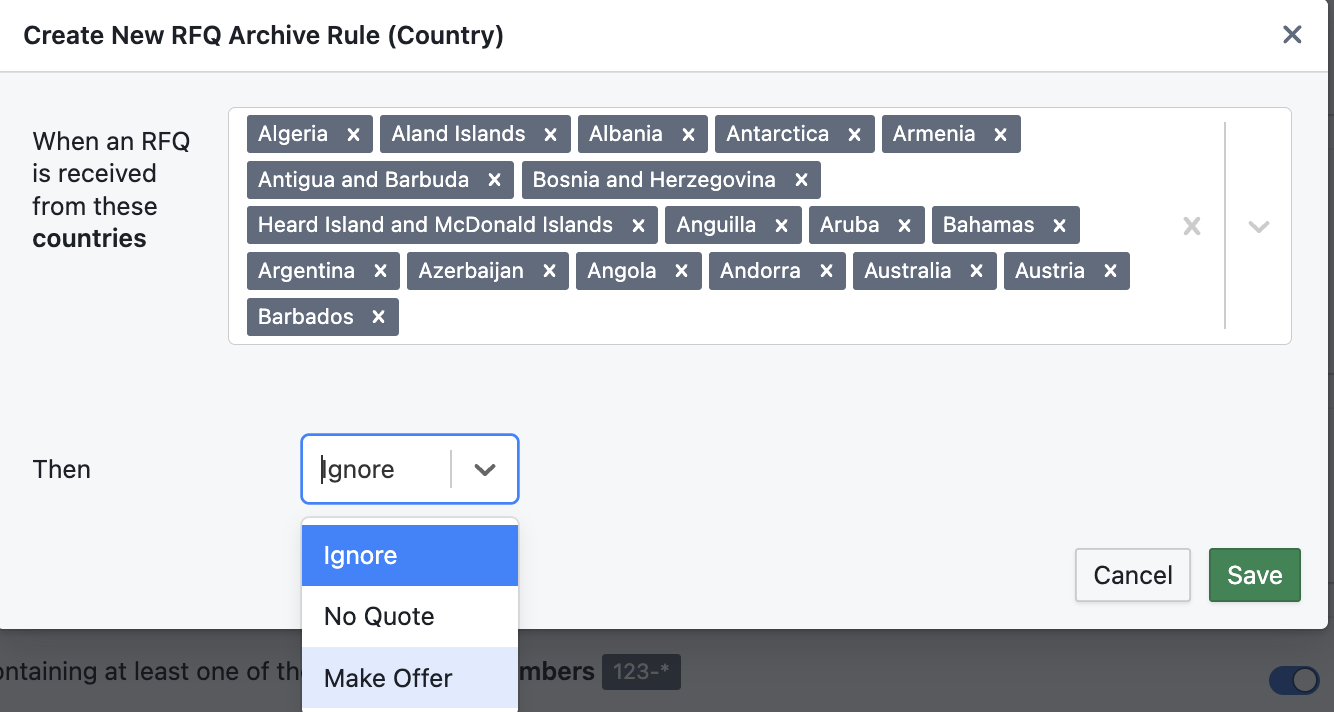
Archive automation rules can now send a Make Offer. Alongside the existing Ignore and No Quote actions, you can configure a rule to automatically respond to matching RFQs with a Make Offer quote — so the steady, predictable requests you used to work through by hand can go out on their own.
Won / lost archiving
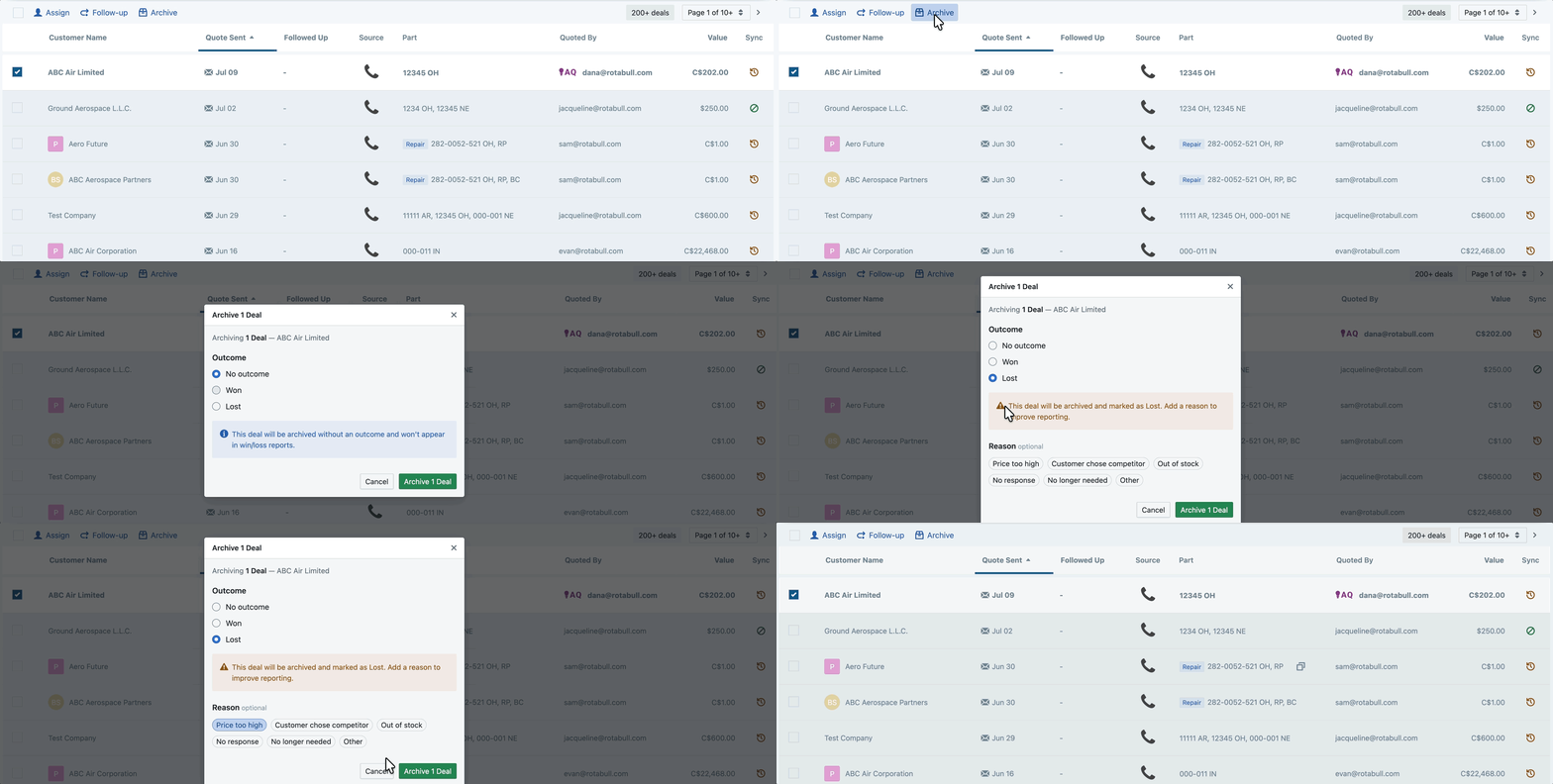
When archiving a quoted deal, you can now select whether it was won or lost. This information will show up on reports.
Direct Outlook Integration (Public Beta)
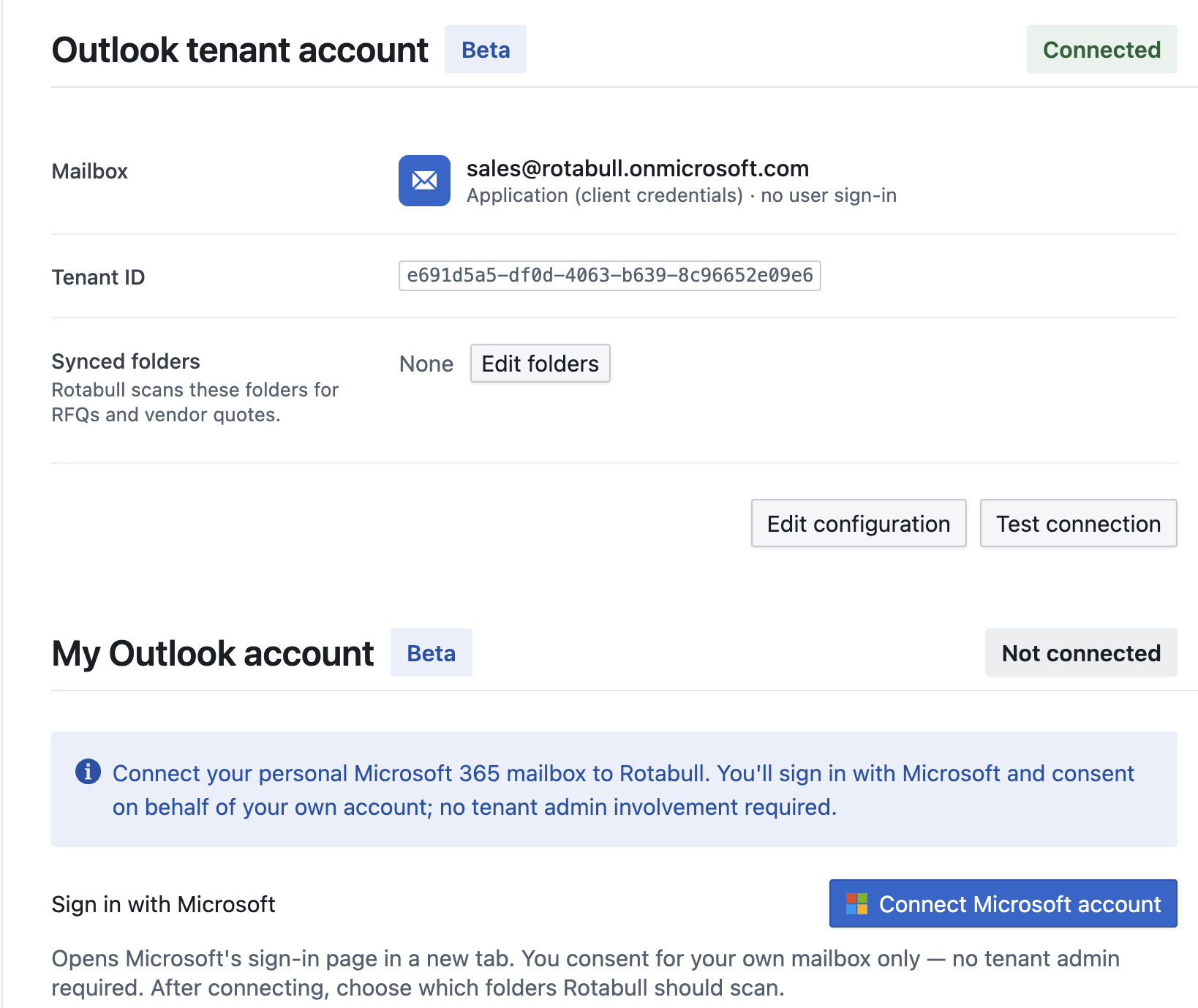
For teams connecting their inbox over Outlook, you can now point Rotabull at a specific folder. Once your Outlook connection is established, choose the folder Rotabull should watch for incoming RFQs — for both individual and tenant-level connections — so only the mail you want flows in
Have any questions or feedback? Get in touch with us at support@rotabull.com!
Don’t have a Rotabull account yet? Schedule a demo here to see what we can do for you.


